Grocery list for iPhone
A paper list tells you what to buy. Listics also tells you what it cost.
And whether you paid too much. Plan the trip, shop, and keep every price without any extra work.
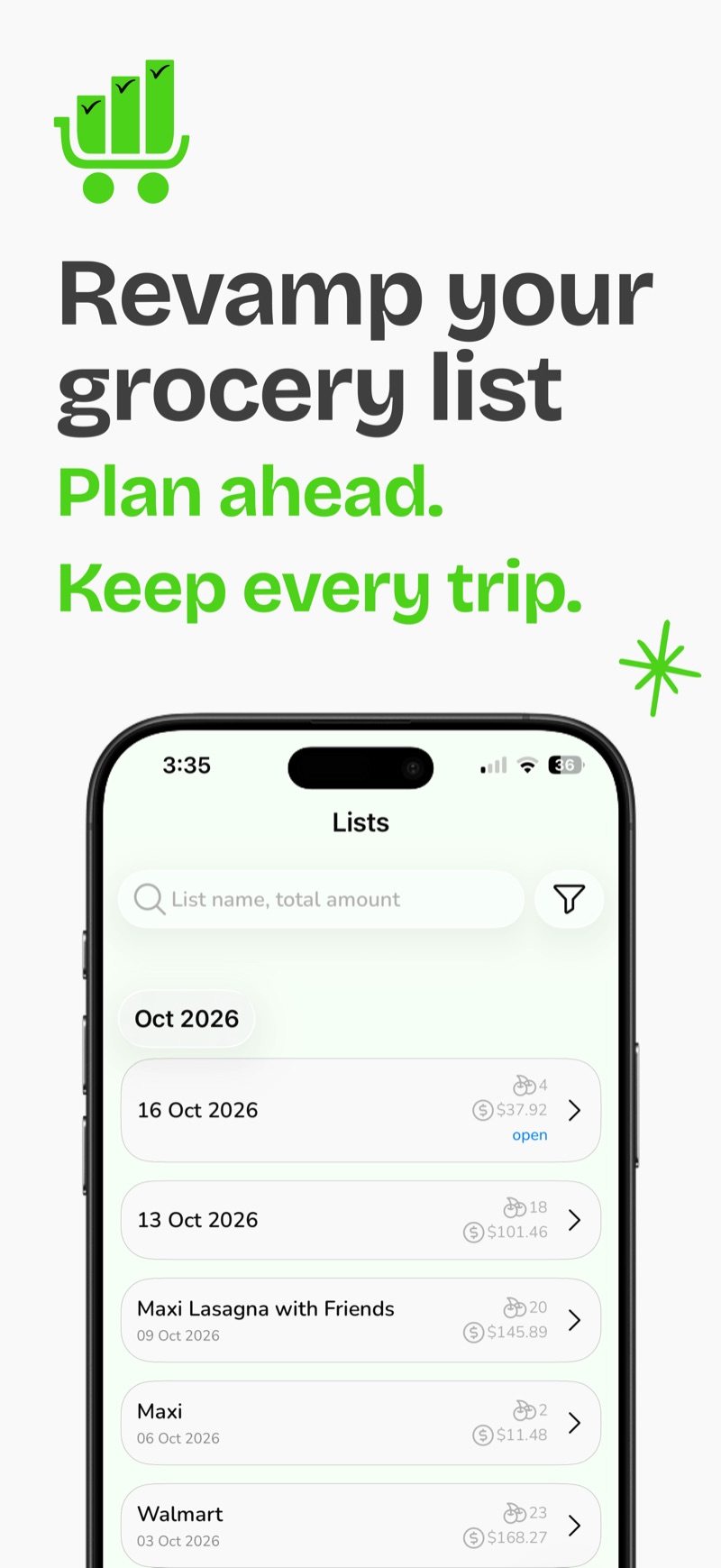
Your paper list forgets everything the moment you leave the store
Listics keeps every trip. Here is what changes.
| Topic | Paper or notes app | Listics |
|---|---|---|
| What I bought | Crossed out, then thrown away. | Every trip is saved, store by store. |
| What it cost | Somewhere on a receipt. | Each price is saved with the item. |
| Was it a good price? | You would have to remember last month. | Listics learns your regular price and flags when you paid more. |
| Where did the month go? | A guess. | Set a monthly target and see spending by store and category. |
How it works
Plan
Write the list before you go. Pick the store, add your products and sort them by category.
Shop
Tick items off in the aisle and enter what you paid. Snap a photo of a product if it helps. Close the list when you are done.
Learn
Each closed list becomes a record with prices, stores and categories. Over time Listics learns your regular price for each product.
See where it pays off
Your lists, prices and targets, in one place.
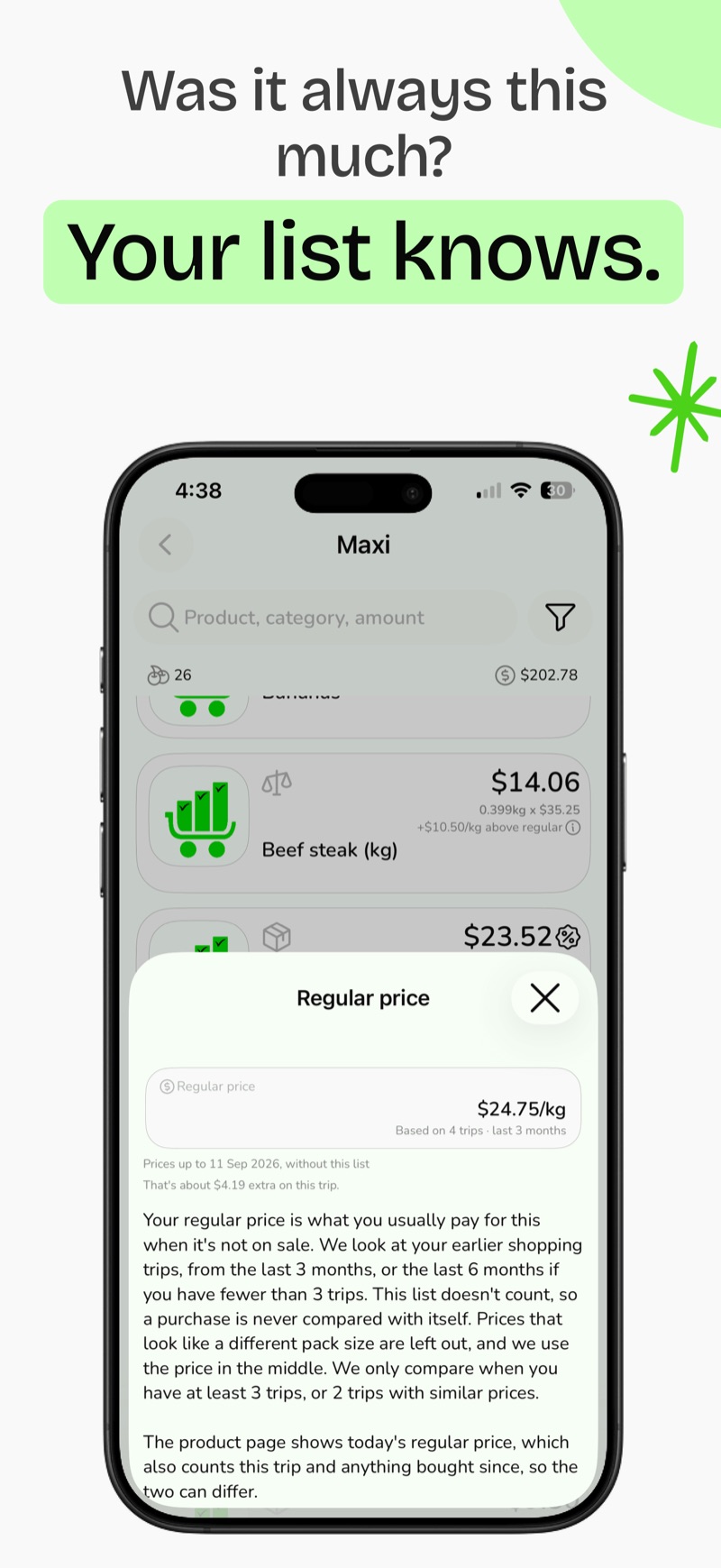
Know your regular price
Listics works out what you usually pay for a product from your own trips, then shows how much extra you paid this time. It only compares when it has at least 3 trips, or 2 with similar prices.
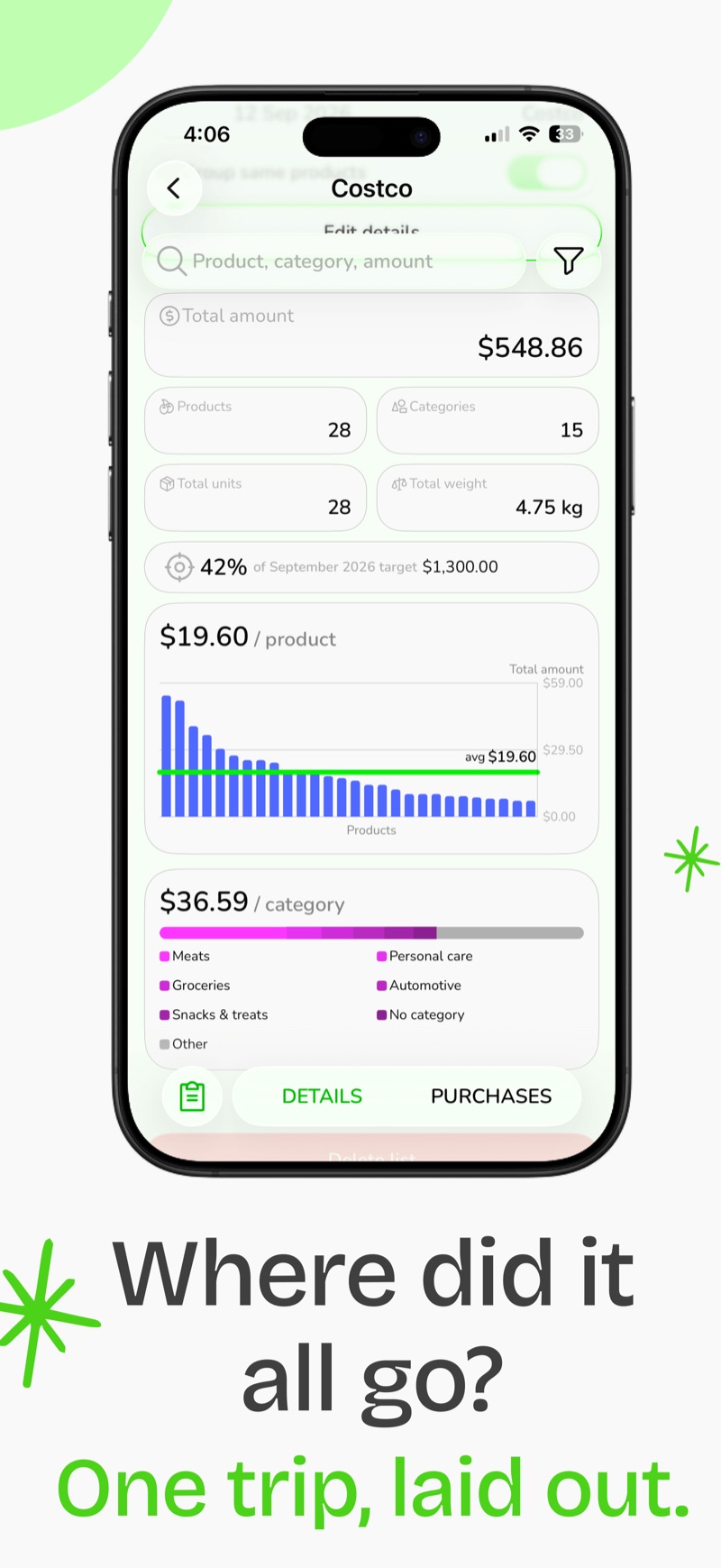
See one trip at a glance
Total, number of products, average per product, and how the trip splits across categories. It also shows how much of your monthly target it used.
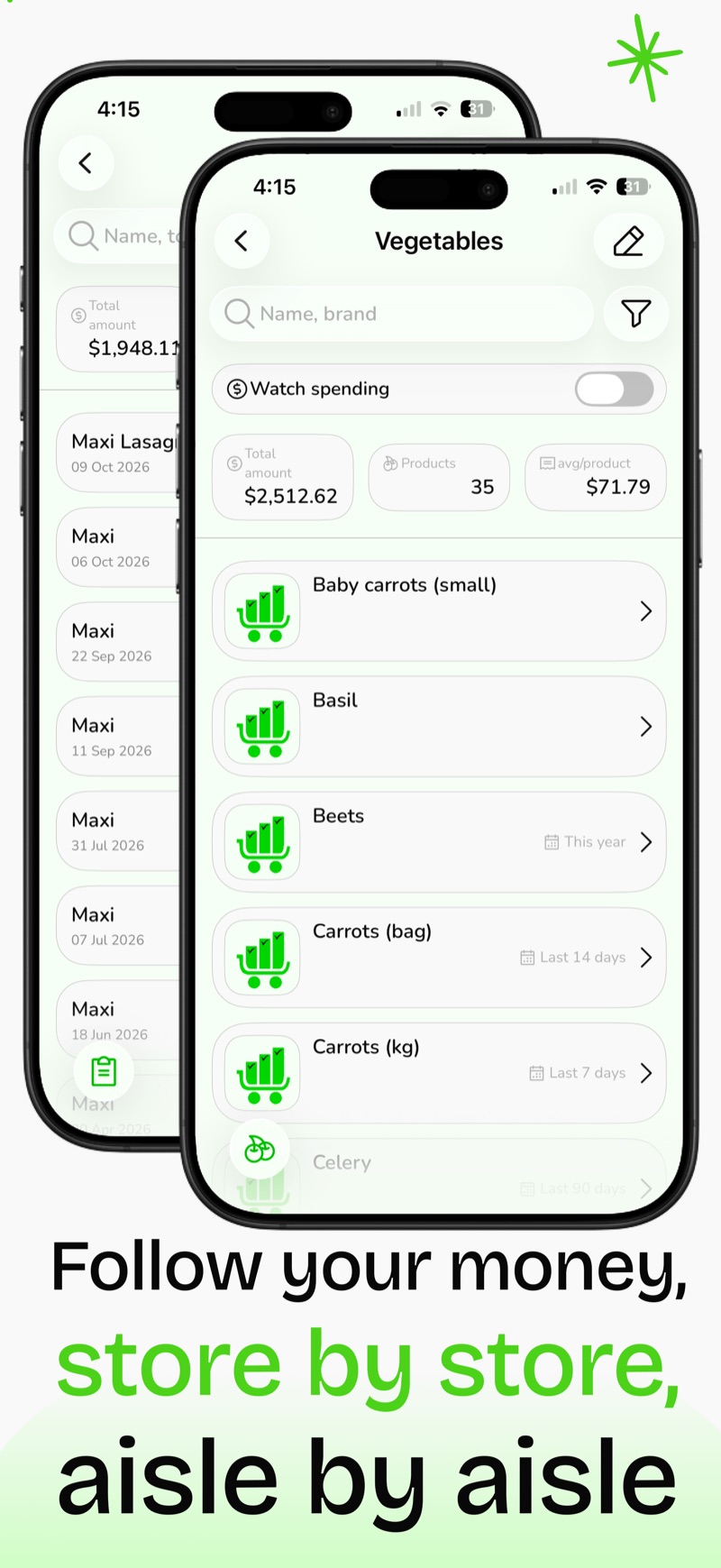
Browse by store or category
Open a store to see every trip you made there. Open a category to see every product in it. You can also watch the spending on categories you care about.
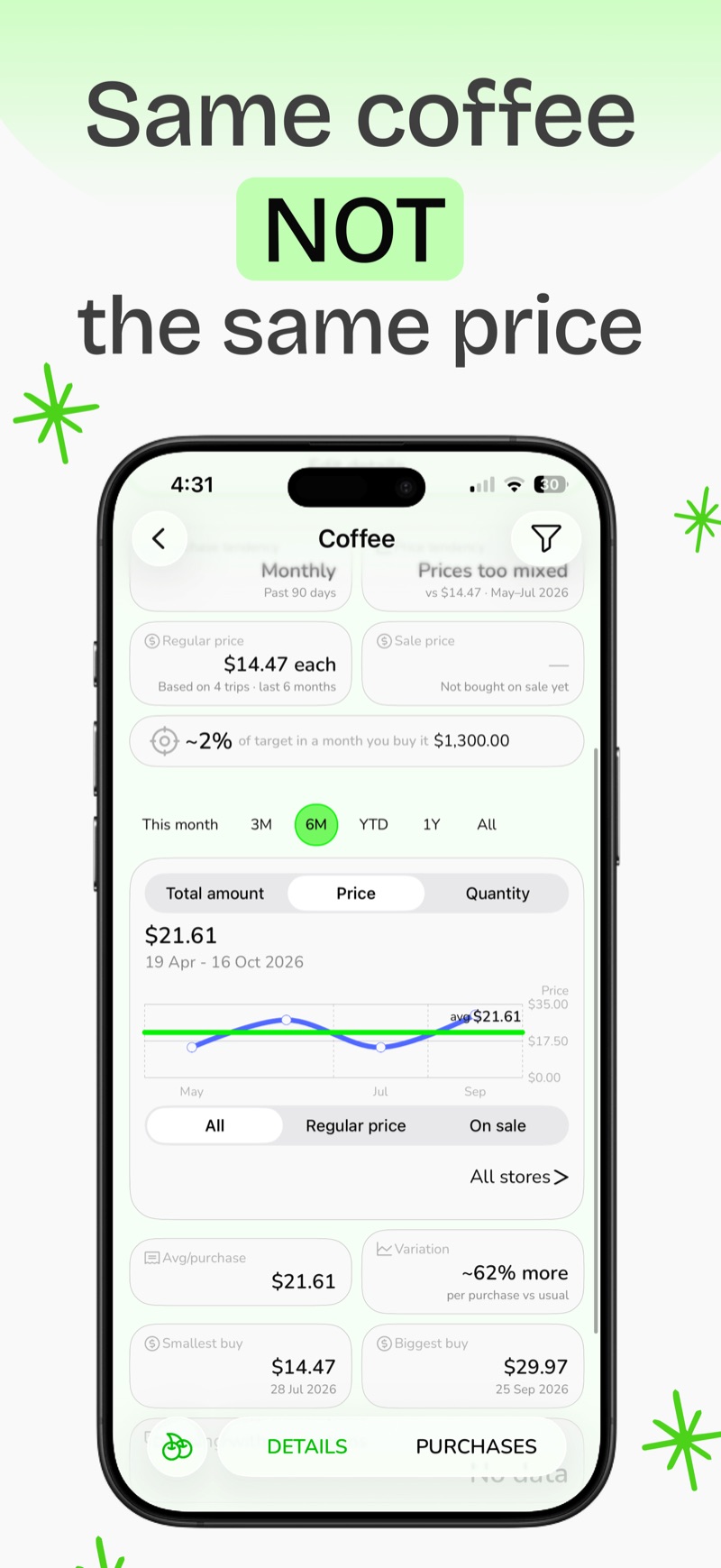
Compare the same item over time
Every product has its own page. See how the price moved, which store was cheaper, and how a sale price differs from the regular one.
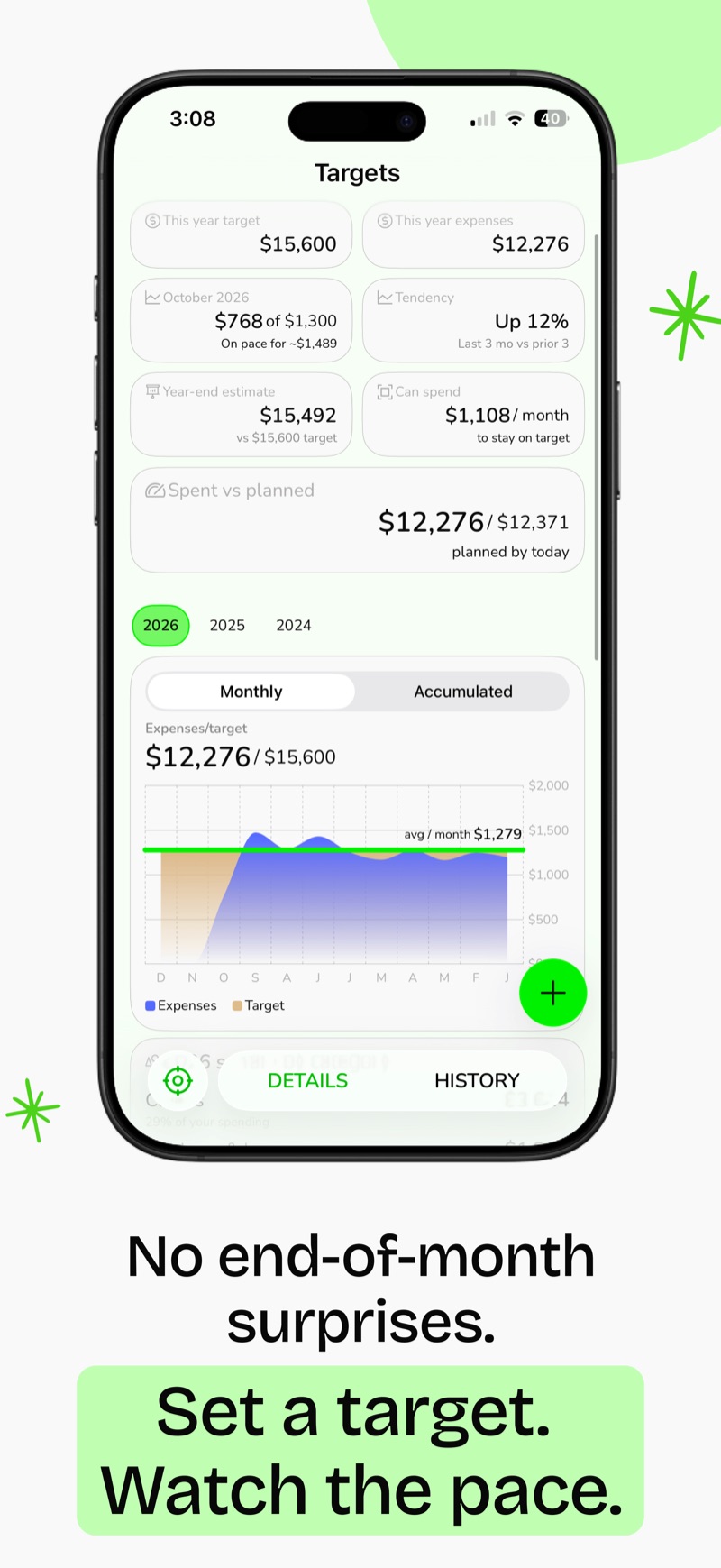
Stay on pace
Set a spending target and see whether you are on pace, how much you can spend each month to stay on target, and how past years compare.
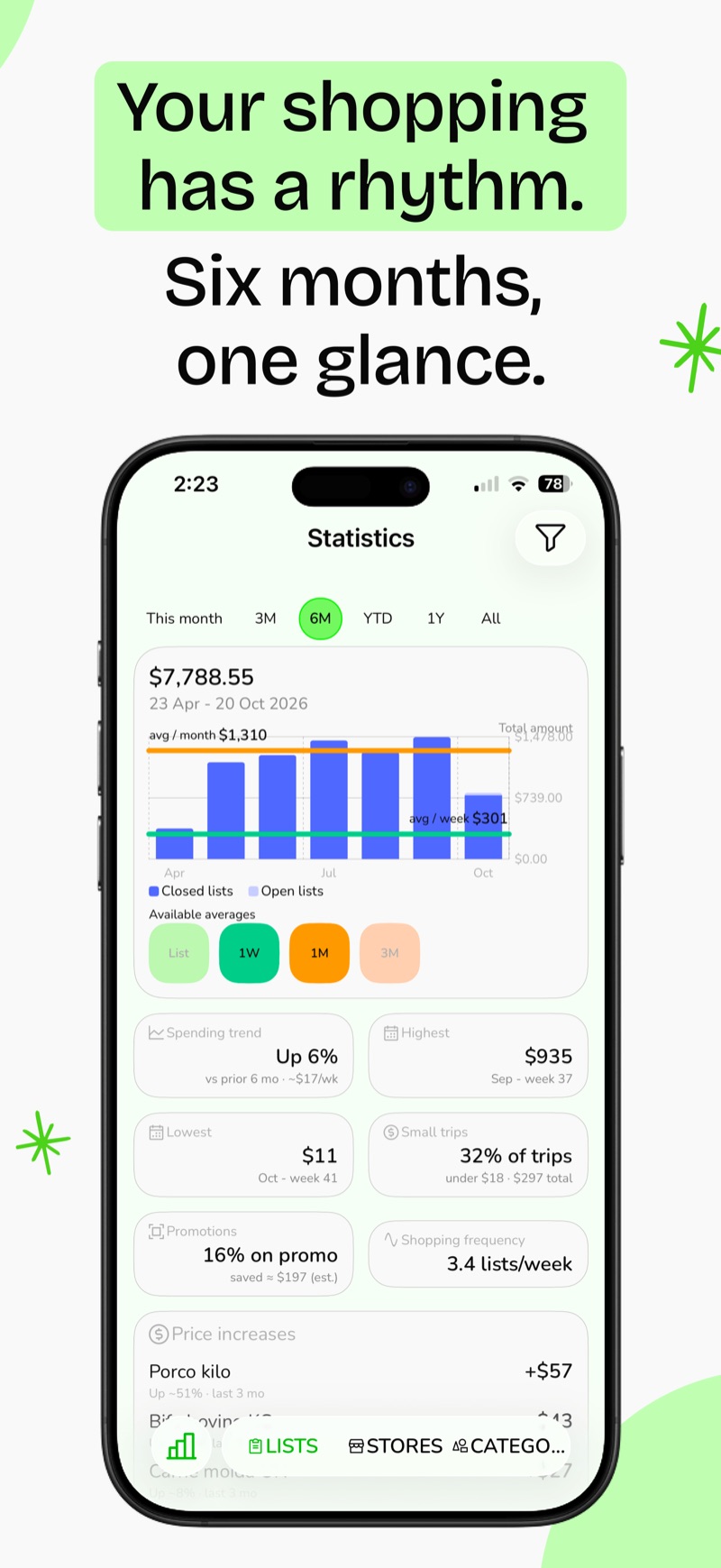
Spot the patterns
Spending by period, your highest and lowest weeks, how often you shop, and the products whose price went up the most.
Private by design
Your lists, prices and photos live on your phone. There is nothing to sign up for.
- Stored on your device
- No account
- No ads
- Anonymous analytics are off until you opt in
- Export everything to CSV, any time
Questions
Do I need an account?
No. Open the app and start a list. There is no sign-up and no login.
Does it work offline?
Yes. Everything is stored on your phone and Listics has no server of its own, so you do not need a connection to use your lists.
Which languages does it support?
English, German, Greek, Spanish (Spain and Mexico), French (France and Canada), Italian, Portuguese (Brazil and Portugal), Chinese (Simplified and Traditional).
Can I take my data with me?
Yes. You can export your data as a CSV file from the app and keep it wherever you like.
Is my data shared with anyone?
No. Your lists stay on your device. The only thing that can leave it is optional, anonymous usage and crash data, and only if you turn it on.
Keep every trip
Start your next list in Listics and see what this month really costs.